


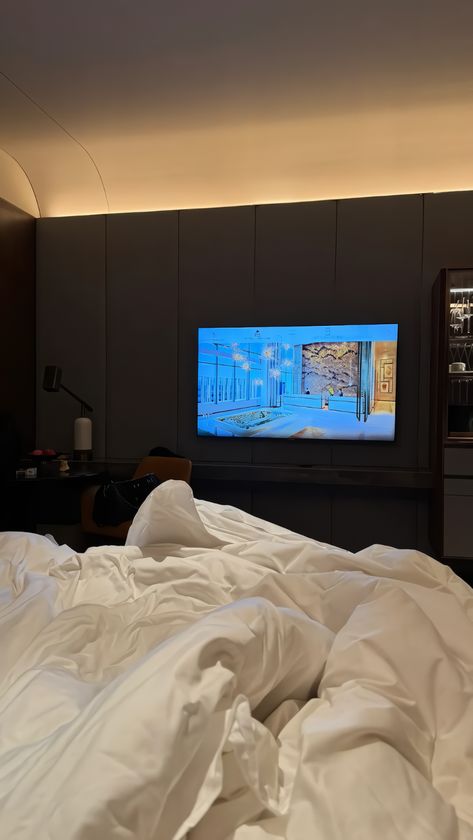
Dubai’s hospitality industry is renowned for its luxury and state-of-the-art amenities, and one area where this is particularly evident is in-room entertainment. Hotel guests in Dubai, whether traveling for business or leisure, expect to be able to access their favorite shows and movies through streaming services on Samsung hotel TV dubai. Offering streaming options such as Netflix, Amazon Prime Video, YouTube, and others can significantly enhance the guest experience, providing more personalized entertainment during their stay.
However, accessing streaming services on a hotel TV can sometimes be a bit different from what guests are used to at home. In this guide, we’ll walk you through the process of accessing streaming services on Dubai hotel TVs and what both hotel owners and guests need to know to enjoy seamless entertainment.
1. Check if the TV Supports Streaming Services
Not all hotel TVs are created equal, and it’s important to first confirm that the TV in your room supports streaming services. Many modern hotel TVs are equipped with Smart TV capabilities, but not all of them come preloaded with streaming apps.
How to Check for Streaming Compatibility:
- Smart TV Features: Most hotels in Dubai now provide Smart TVs, which come preloaded with apps like Netflix, YouTube, and other streaming platforms. These TVs usually allow you to sign into your personal streaming accounts directly.
- TV Brand and Model: If your TV is a Smart TV, check the brand and model to see if it supports streaming apps. Popular brands like Samsung, LG, and Sony typically include streaming services.
- Hotel-provided Instructions: Hotels that offer streaming services often provide instructions or a menu on the TV screen explaining how to access the apps or log in to your streaming accounts. Look for prompts that guide you to the entertainment options available.
If the TV does not appear to have streaming capabilities, you can ask the hotel staff whether it’s possible to stream content via external devices or other alternatives.
2. Connect to the Hotel Wi-Fi Network
In order to access streaming services, you’ll need an internet connection. Hotels in Dubai typically offer high-speed Wi-Fi, but you may need to connect your device to the hotel’s network before using streaming apps.
How to Connect to Wi-Fi:
- Wi-Fi Credentials: Upon check-in, you’ll typically receive the Wi-Fi credentials (username and password) at the front desk or via a welcome letter in your room. Some hotels may also provide the Wi-Fi details directly on the TV screen for convenience.
- Enter Wi-Fi Information: Once you’ve selected the hotel’s network on your TV, you may be prompted to enter the Wi-Fi password. Ensure that you enter the credentials correctly to establish a connection.
- Wi-Fi Quality: Dubai hotels generally offer fast and reliable Wi-Fi, but if you experience buffering issues or slow speeds, it’s worth checking with the hotel’s tech support to ensure you’re connected to the optimal network.
A stable Wi-Fi connection is essential to prevent interruptions while streaming content.
3. Sign In to Streaming Accounts
Once your hotel TV is connected to the Wi-Fi network, the next step is to access your streaming services by signing into your personal accounts. Many hotel TVs support popular streaming apps like Netflix, Amazon Prime, YouTube, and more. Depending on the hotel’s setup, you may also have access to additional services like Hulu, Disney+, or regional platforms.
How to Sign In:
- Netflix, YouTube, and Other Apps: Open the app on the hotel TV and sign in using your account credentials (username and password). You may be asked to enter a verification code if the service requires two-factor authentication.
- TV Login Screen: Many Smart TVs have a simple on-screen keyboard for entering login details, while others may allow you to log in using a mobile app or QR code. Some hotels provide a QR code on the screen that guests can scan with their smartphones to log into their streaming accounts.
- Log Out After Use: For privacy and security, always remember to log out of your streaming accounts when you check out or leave the room. Most hotel TVs will provide an option to log out directly within the app settings. It’s a good idea to double-check this before leaving.
Logging into streaming apps allows you to access your personalized content, such as saved shows, watchlists, and recommendations.
4. Casting Content from Your Mobile Device
If the hotel TV doesn’t support streaming apps or if you prefer to watch content from your own device, many hotels in Dubai offer the option to cast content from your smartphone, tablet, or laptop to the TV. This is particularly convenient for guests who want to stream their own movies or shows.
How to Cast to the TV:
- Check for Casting Features: Some hotel TVs come with built-in support for casting via Apple AirPlay (for iPhones and iPads) or Google Cast (for Android devices). Look for the option to cast or mirror your screen on the TV’s menu or settings.
- Connect via Wi-Fi: Ensure your mobile device is connected to the same Wi-Fi network as the hotel TV. Once connected, open the casting option on your device (e.g., tap the AirPlay or Cast icon) and select the hotel TV from the available devices.
- Screen Mirroring: If casting is not available, you can use screen mirroring to display the content from your mobile device directly onto the TV. Most newer smartphones have screen mirroring options built-in, which can be accessed from the settings menu.
- Using HDMI or Streaming Devices: In some cases, you can use an HDMI cable to connect your laptop or tablet to the hotel TV. Alternatively, if the TV allows external devices, you could bring a streaming device like a Roku, Amazon Fire Stick, or Chromecast, though you may need to check with the hotel staff for compatibility and assistance with setup.
Casting your own content provides greater flexibility and ensures you can watch your preferred entertainment, even if the TV’s built-in apps don’t support the service you want to use.
5. Troubleshooting Common Issues
While accessing streaming services on hotel TVs in Dubai is generally straightforward, you may occasionally encounter issues such as poor Wi-Fi connection, app glitches, or login problems. Here are some troubleshooting steps to help resolve these issues:
Common Problems and Solutions:
- Slow Streaming or Buffering: Ensure that you have a strong and stable Wi-Fi connection. If buffering persists, try disconnecting and reconnecting to the Wi-Fi network or ask the hotel staff to check the connection speed.
- App Not Loading or Crashing: Restart the TV or app to see if that resolves the issue. If the problem persists, try reinstalling the app or contacting the front desk for assistance.
- Login Issues: If you’re unable to log into your account, double-check your username and password. If you’re still having trouble, some hotels allow staff to reset the Wi-Fi or help with login support.
- No Casting Option: If you cannot cast content, make sure both your device and the TV are connected to the same Wi-Fi network. Contact the hotel’s tech support for further assistance if casting features are not available.
Most hotels in Dubai offer tech support to assist guests with any issues related to in-room entertainment, including streaming services.
6. Ask Hotel Staff for Assistance
If you encounter issues or need help setting up streaming services, don’t hesitate to reach out to the hotel staff. Many hotels in Dubai have dedicated guest services or tech support teams that can assist with setting up streaming services, Wi-Fi connections, or even troubleshooting any problems you might face with the TV or connectivity.
What Hotel Staff Can Help With:
- Wi-Fi Access and Connectivity: They can provide updated Wi-Fi credentials or guide you on connecting to the network.
- Streaming App Support: If certain apps are missing or malfunctioning, staff may be able to offer solutions or assist with reconfiguration.
- Troubleshooting Issues: For any technical difficulties, staff can often resolve issues or escalate them to maintenance for further support.
Conclusion
Accessing streaming services on hotel TVs in Dubai is an easy way to enjoy your favorite content while staying in luxury accommodations. By ensuring that the TV is compatible with streaming apps, connecting to the hotel’s Wi-Fi network, signing into your personal accounts, and utilizing casting features, guests can quickly access a wide range of entertainment options.
For hotels, offering seamless streaming options is an essential part of creating an unforgettable guest experience, enhancing guest satisfaction, and encouraging positive reviews. Whether you’re a guest looking to unwind with a movie or a hotel owner upgrading your in-room technology, knowing how to access and set up streaming services on hotel TVs will ensure a smooth, enjoyable experience for all.
